
Estimate follow-up
Bring quiet estimates back into the conversation.
Vrosa follows up on the estimates that never got a clear answer, pauses the moment a customer replies, and puts a person in charge when it matters.
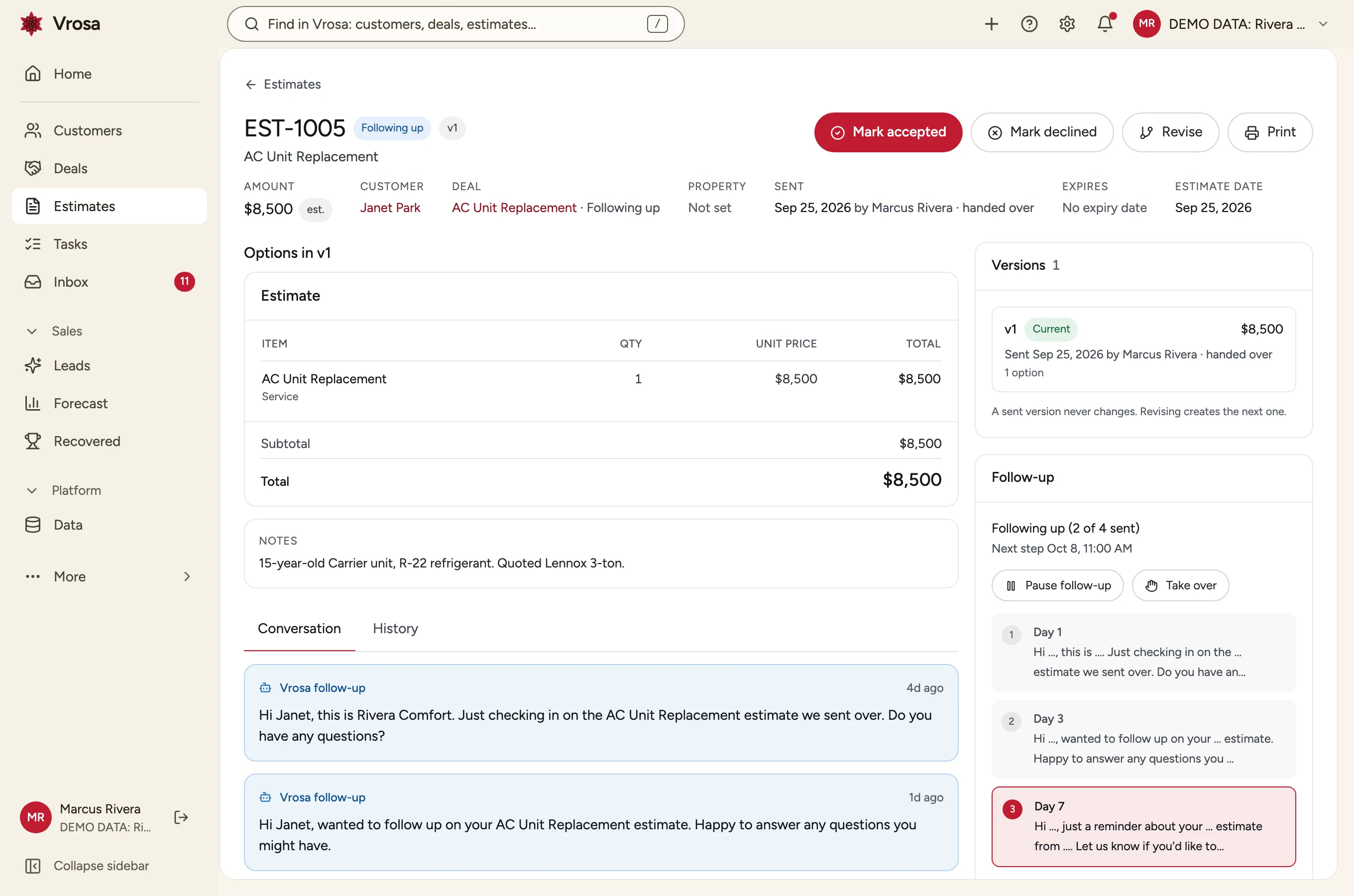
The follow-up most businesses mean to do
Most estimates never get a clear yes or no. The customer got busy, compared a price, or simply forgot. A well-timed message brings many of them back, but it only happens when someone remembers.
Vrosa remembers. Each estimate carries its own follow-up plan, runs it on schedule, and gets out of the way the moment the customer answers.
- A plan for every estimate, on a schedule you set
- Stops by itself when the customer replies
- Hands the conversation to a person when it needs one
A schedule you control
Follow-up should sound like your business, arrive when it makes sense, and stop when it should.
Each estimate follows a sequence of short messages spread over two weeks. You see each step, what it says, and when the next one is due.
Day 1, 3, 7 and 14, in your words
Each estimate follows a sequence of short messages spread over two weeks. You see each step, what it says, and when the next one is due.
Pause, take over, or close it out
Pause a plan, take over the conversation yourself, or mark the estimate Accepted or Declined, all from the estimate.
The plan stops when
- The customer replies
- The estimate is accepted or declined
- The customer asks to stop
- You pause it or take over
Stops when it should
Follow-up ends by itself when the customer replies, when the estimate is accepted or declined, or when someone opts out.
Replies come back to your team
A reply is the start of a conversation, so it should land where a person will see it.
Every reply to an estimate lands in the Vrosa inbox, with the customer, the job and the amount beside it.
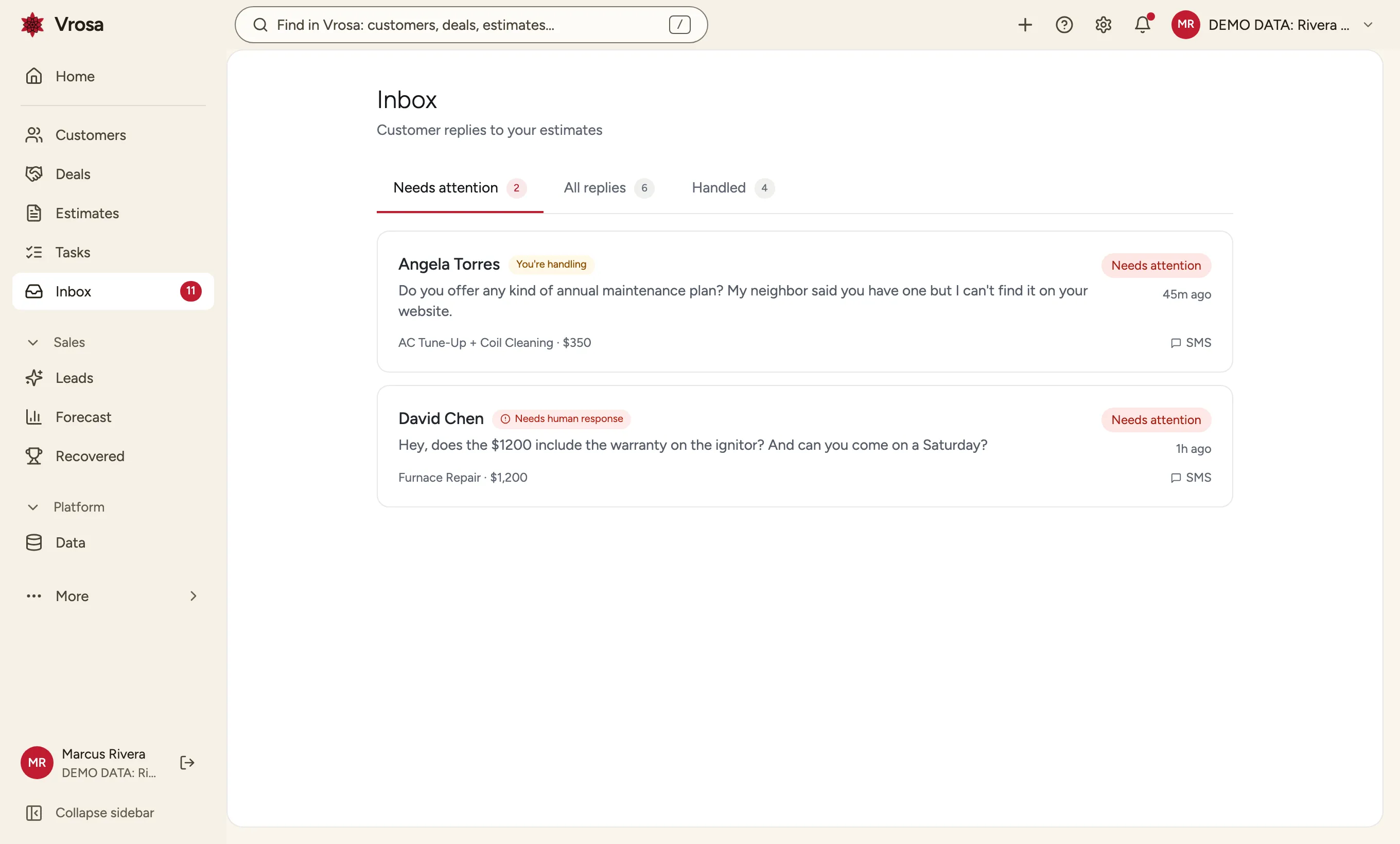
One inbox for replies
Every reply to an estimate lands in the Vrosa inbox, with the customer, the job and the amount beside it.
A flag when a person is needed
Questions about price, warranty or scheduling are flagged as needing a human response, so the replies that matter are not buried.
The whole conversation on the estimate
See what was sent and what came back in order, next to the details of the estimate itself.
Know how it ended
Every estimate ends as Accepted or Declined, so nothing stays open forever.
See which estimates are new, being followed up, need attention, or are done, and filter the list by outcome.
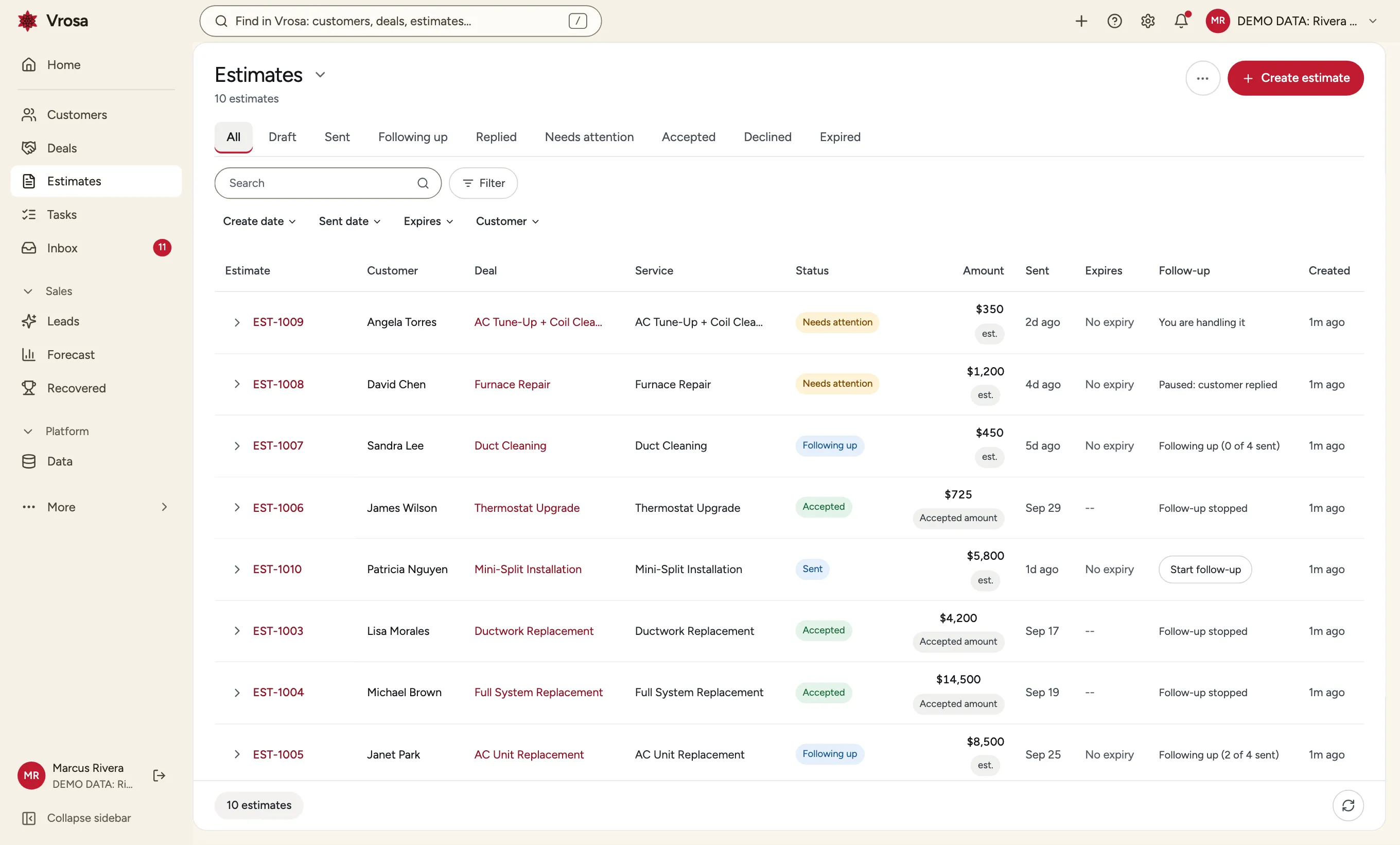
Every estimate at a glance
See which estimates are new, being followed up, need attention, or are done, and filter the list by outcome.
Why record a reason
- See what keeps costing you jobs
- Decide what to change in price or process
- Keep the history with the customer
Accepted or declined, with a reason
When an estimate is declined you can record why, so patterns in declined work are visible instead of anecdotal.
How it is recorded
- A clear rule for when follow-up gets credit
- Kept separate from your accounting
- Visible on the estimate
Credit where follow-up helped
When an estimate is accepted after follow-up, Vrosa notes that follow-up was involved, so you can see what it brought back.
Consent comes first
Following up is only welcome where someone agreed to hear from you.
Vrosa looks for consent on the specific phone number or email it would use, never on the person in general. Importing a contact is never treated as consent.
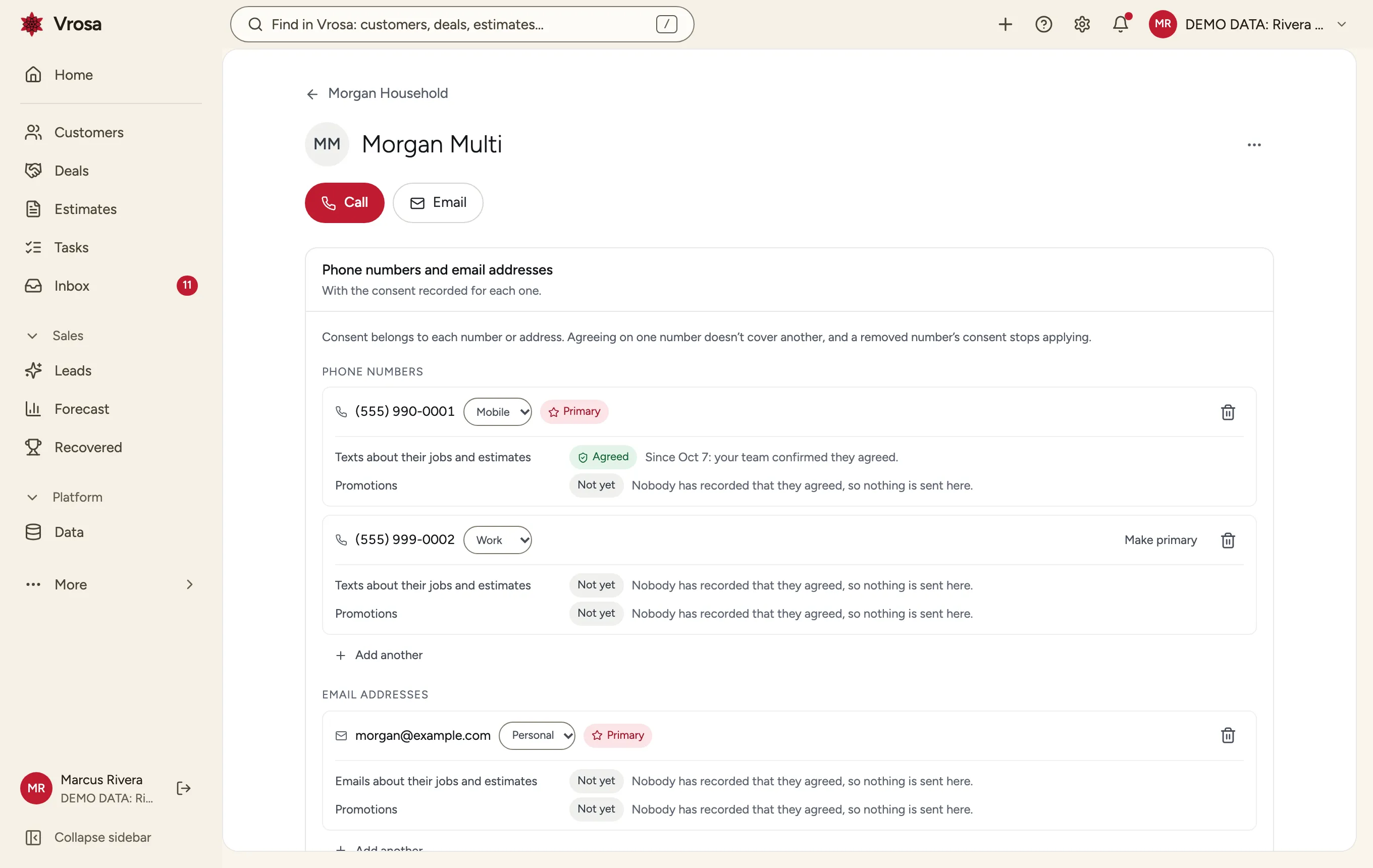
Consent checked for the exact number
Vrosa looks for consent on the specific phone number or email it would use, never on the person in general. Importing a contact is never treated as consent.
What happens on a stop reply
- The plan for that estimate ends
- Consent for that number is revoked
- Staff cannot override a customer's own opt-out
Opt-outs are honored
If a customer replies to stop, that number stops receiving messages, and the choice is remembered even if the record is later erased.
See your quiet estimates come back to life
Bring a handful of recent quotes. We will show how follow-up, replies and outcomes would work for them.
Messaging is shown in demo mode
Follow-up runs end to end in Vrosa, with messages shown rather than sent, so you can judge the workflow before anything goes to a customer.
You see every step
What would be sent, when, and why.
Consent is built in
Tracked for each number from the start.
Review before sending
Live sending follows a dedicated consent and compliance review.
Part of one connected platform
Every area of Vrosa builds on the same customer record.
Questions
Does Vrosa send real texts and emails?
No. Messaging runs in demo mode, so you can see how follow-up would work without anything reaching a customer. Live sending follows a dedicated consent and compliance review.
Can I change what the messages say?
The plan is built around messages you control. In demos we show the sequence and wording so you can judge whether it sounds like your business.
What happens when a customer replies?
Follow-up for that estimate stops, the reply lands in the inbox attached to the estimate, and anything that needs a person is flagged.
What if a customer asks me to stop?
A stop reply ends the plan, revokes consent for that number and cannot be overridden by staff.
Does an imported contact count as consent?
No. Consent is never assumed because a contact was imported. It has to be recorded for the specific number or address.